

Visual Routine Builder
Visual schedules you can actually put on the wall.
- iOS
- iPadOS

Overview
Visual Routine Builder is a picture-based visual schedule builder for iPhone and iPad. You choose pictures the person already understands, put the steps in order, and print something usable the same minute: a strip for the fridge, cards to laminate, a First / Then board, or a checklist. It is made for the people who set routines up — parents, caregivers, educators and support professionals — and for neurodivergent adults building supports for themselves.
What you can print
- Schedule strip. The whole routine down one page, for the fridge or a binder.
- Cut-out cards. A sheet of matching cards with cut lines, sized identically every time, so cards from different schedules work together on one velcro strip.
- First / Then and Now / Next boards. One page per pair of steps, from a schedule or from any two pictures.
- Choice boards. Up to six pictures under a question. Save a board to reprint, edit or duplicate it later.
- Checklist. A tick-box list for someone who reads.
Print on US Letter or A4, with words on or off for picture-only schedules, in black and white to save ink, and with generous margins for laminating pouches. A real preview shows exactly what will print before anything reaches the printer, and cut lines can be turned off if you cut with a guillotine or trimmer.
Pictures that make sense to them
Some people read drawings, some read photographs of their own things, and some read words. Choose photos, drawings or words only for each person. The app includes 3,436 Mulberry symbols, and you can use your own photos too — a photo of the real bathroom door often works better than a drawing. A picture can be set for one person without changing it for everyone else, and that choice is used both on paper and on screen.
Run it on the device
When a schedule is better followed on a screen, start it full screen: the current step large, a big Done button, a Pause button that is always available, and a supporter passcode (with Face ID or Touch ID, if you like) that keeps editing and leaving locked while you hand the device over. It is there when you want it, but the printed schedule is the point.
Getting started
- Add the person you are making a schedule for.
- Tap New, choose Schedule, and pick the pictures for each step.
- Tap Save and print.
- Preview the sheet, choose a strip, cut-out cards, a First / Then board or a checklist, then print or share the PDF.
First / Then, Now / Next and choice boards can also be made without building a schedule at all, and saved under Boards on the person’s screen.
Printing, honestly
AirPrint scales a PDF to the printer’s printable area, so a 3-inch card usually prints a few percent under size. The shrink is the same for every card, so cards still line up with each other. The printer check page in Print Settings lets you measure what your printer does. To print cheaply, turn on black and white, turn labels off for picture-only cards, or set a person to words only for no pictures at all.
Your data stays yours
Everything is stored on your device. Settings › Your data writes a single backup file containing your people, pictures, photos and schedules; keep it in Files or iCloud Drive, or send it to yourself, and restoring it on another iPhone or iPad brings everything back. Because the app stores nothing online, that file is the only copy, so make one before changing devices. If the app ever cannot read its data it says so and offers to save a recovery copy rather than deleting anything.
There is no account, no sign-up and no cloud. The app has no network connection of any kind, no ads, no tracking, and collects no data about you or the people you support. The full policy is on its privacy page.
What it is not
Visual Routine Builder is a productivity and organization tool for creating and printing picture schedules. It is not a medical product, not a behaviour-tracking system, and it makes no therapeutic claims.
Requirements and price
For iPhone and iPad, iOS 17 or later. It is a one-time purchase of $4.99 on the App Store (US price; other regions follow the App Store tiers), with no subscription and no in-app purchases.
Support
Email rwstout4@gmail.com with your question, your device (iPhone or iPad) and its iOS version. One person answers these, usually within two business days.
Features
Print-first
The printed schedule is the point. Build it in minutes and print something usable the same minute.
Schedule strips
The whole routine down one page, for the fridge, the wall or a binder.
Cut-out cards
Matching cards with cut lines, sized identically every time so cards from different schedules work on one velcro strip.
First / Then and Now / Next
One page per pair of steps, made from a schedule or from any two pictures.
Choice boards
Up to six pictures under a question. Save a board to reprint or change later.
Pictures that make sense to them
Photos, drawings or words only, chosen for each person, and a different picture for one person without changing it for anyone else.
Run it on the device
A full-screen schedule with the current step large, a big Done button, an always-available Pause, and a supporter passcode.
Private by design
No account, no cloud, no network of any kind, no ads and no tracking.
Screenshots
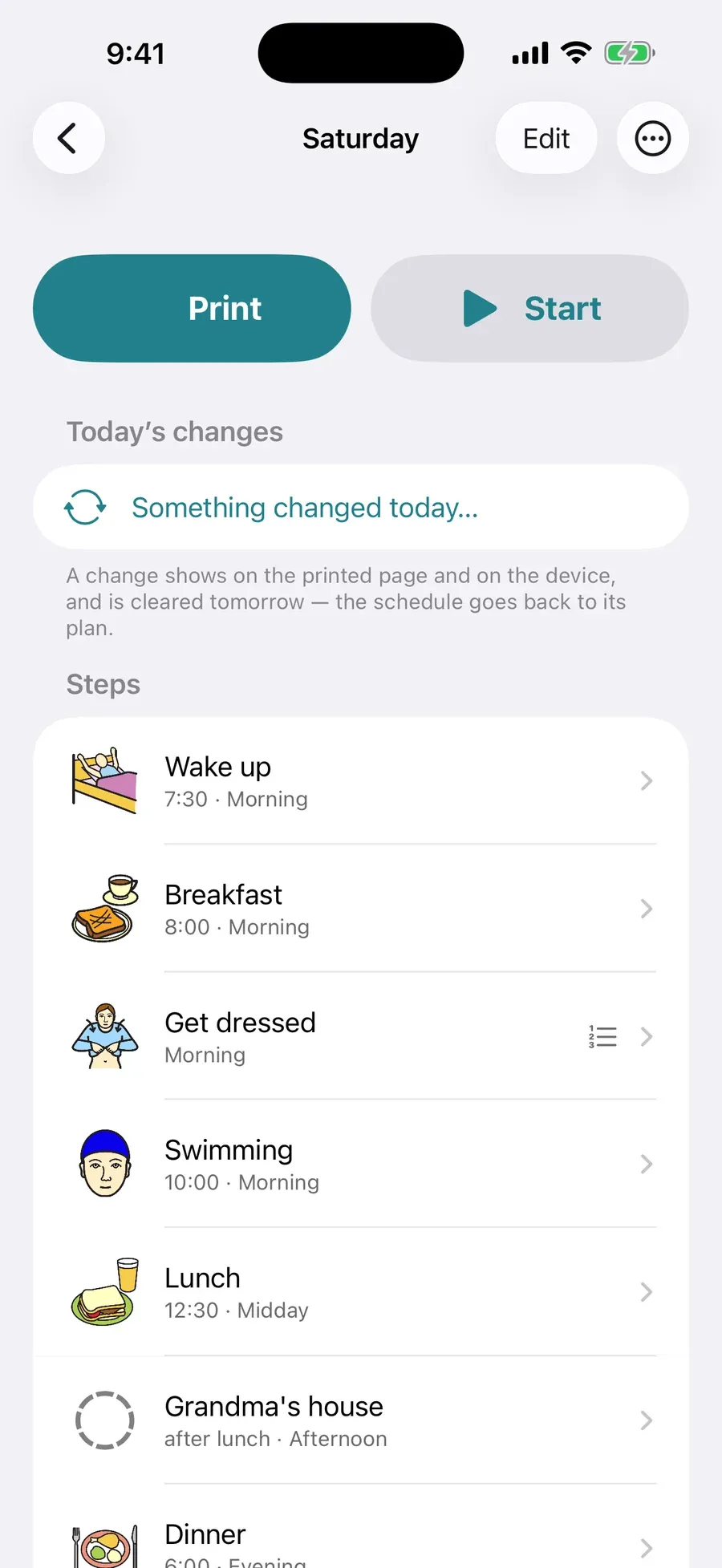
A schedule, ready to print or start 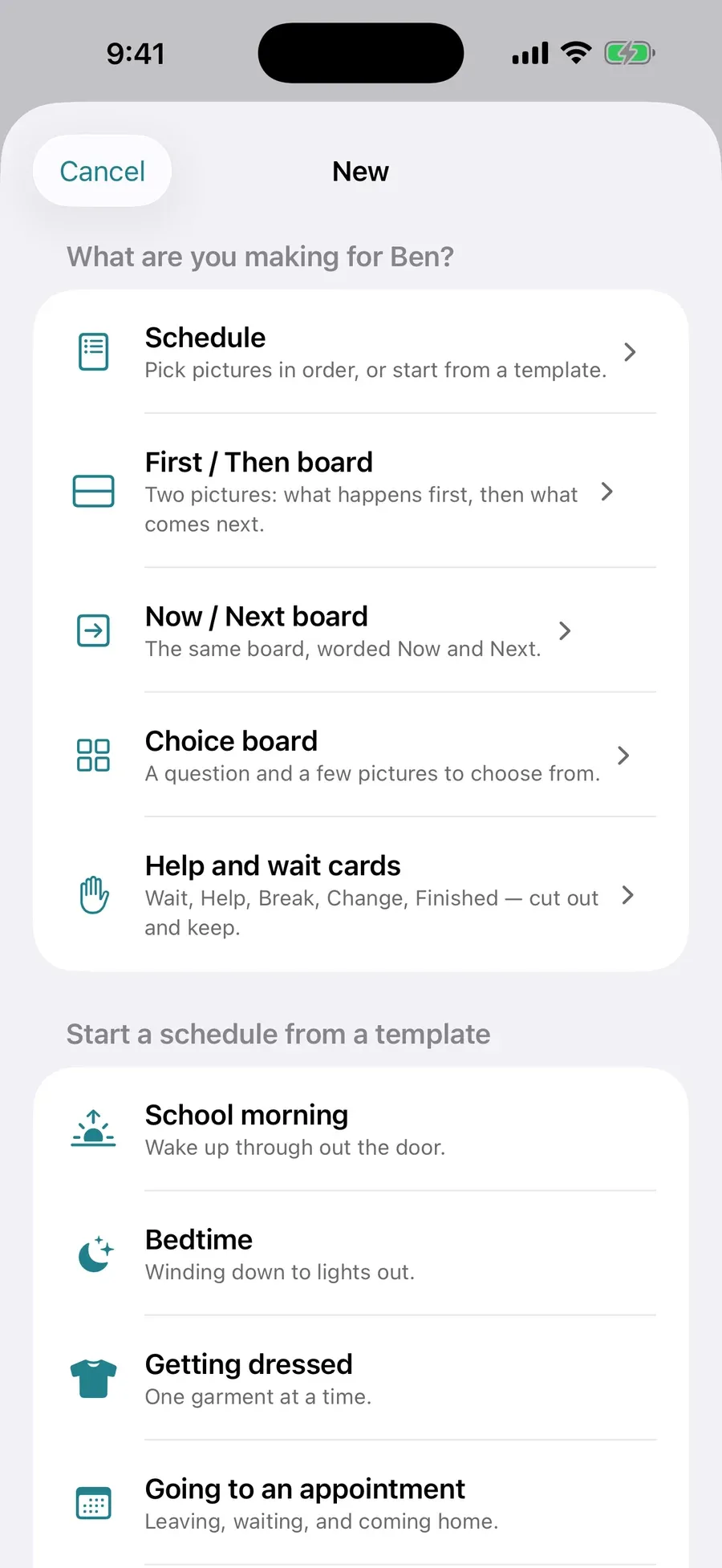
Schedules, boards and cards 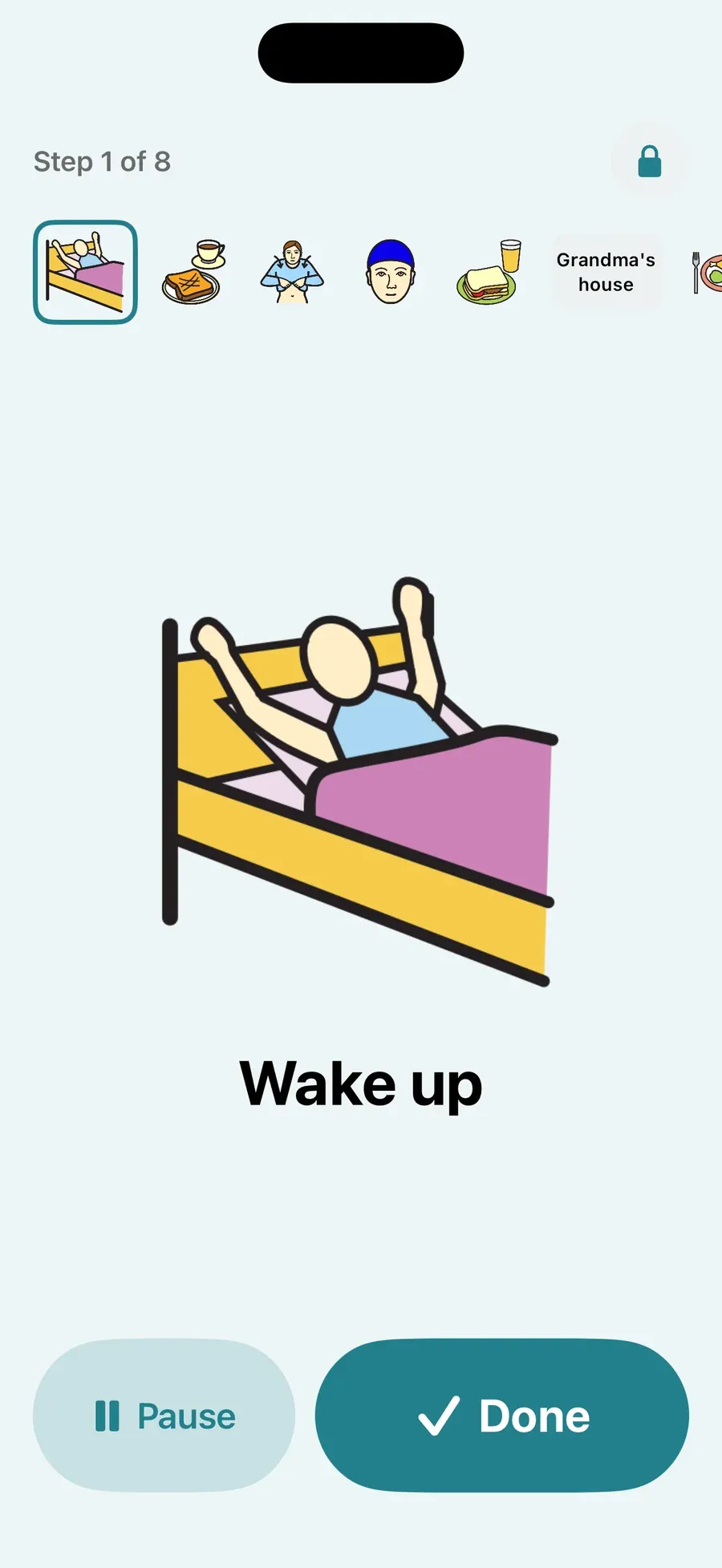
Run it on the device, one step at a time 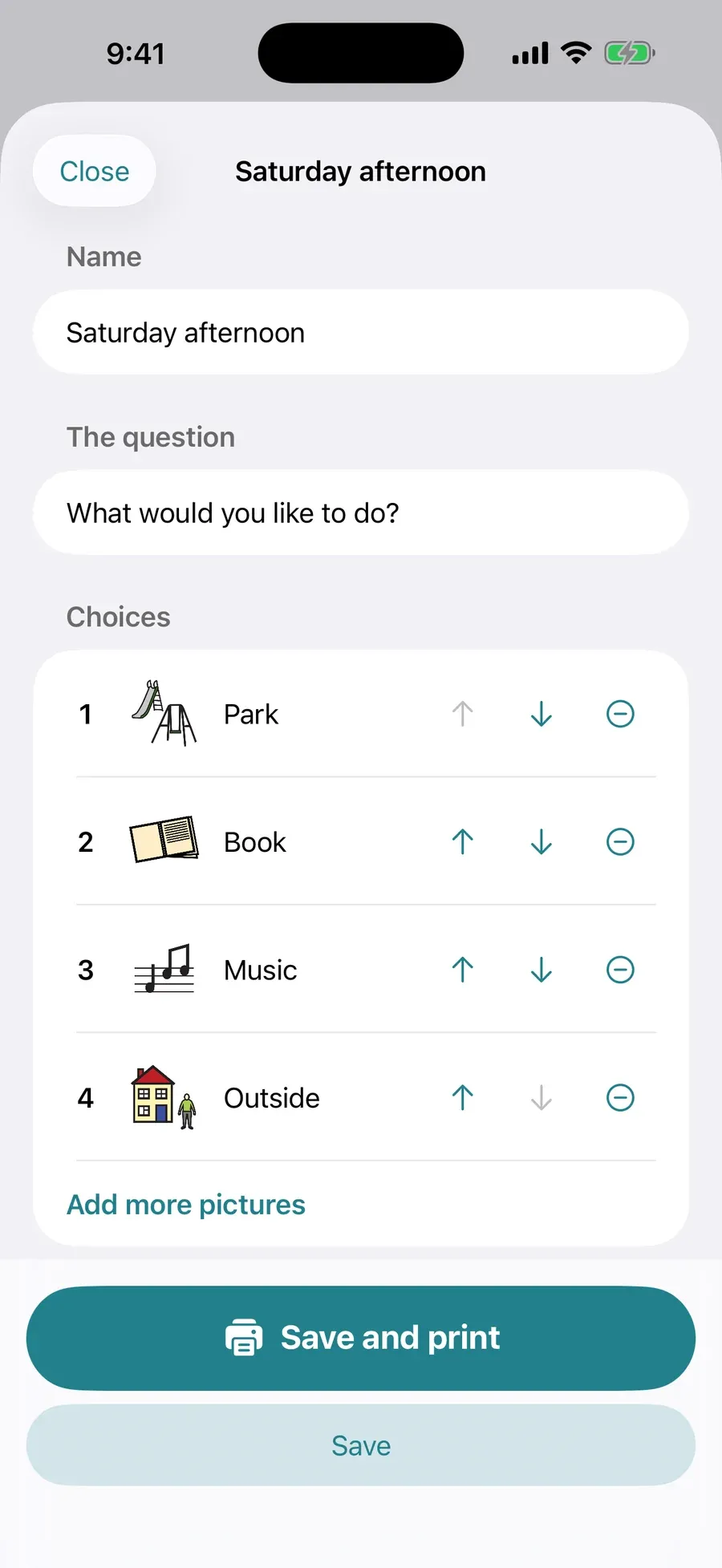
A choice board 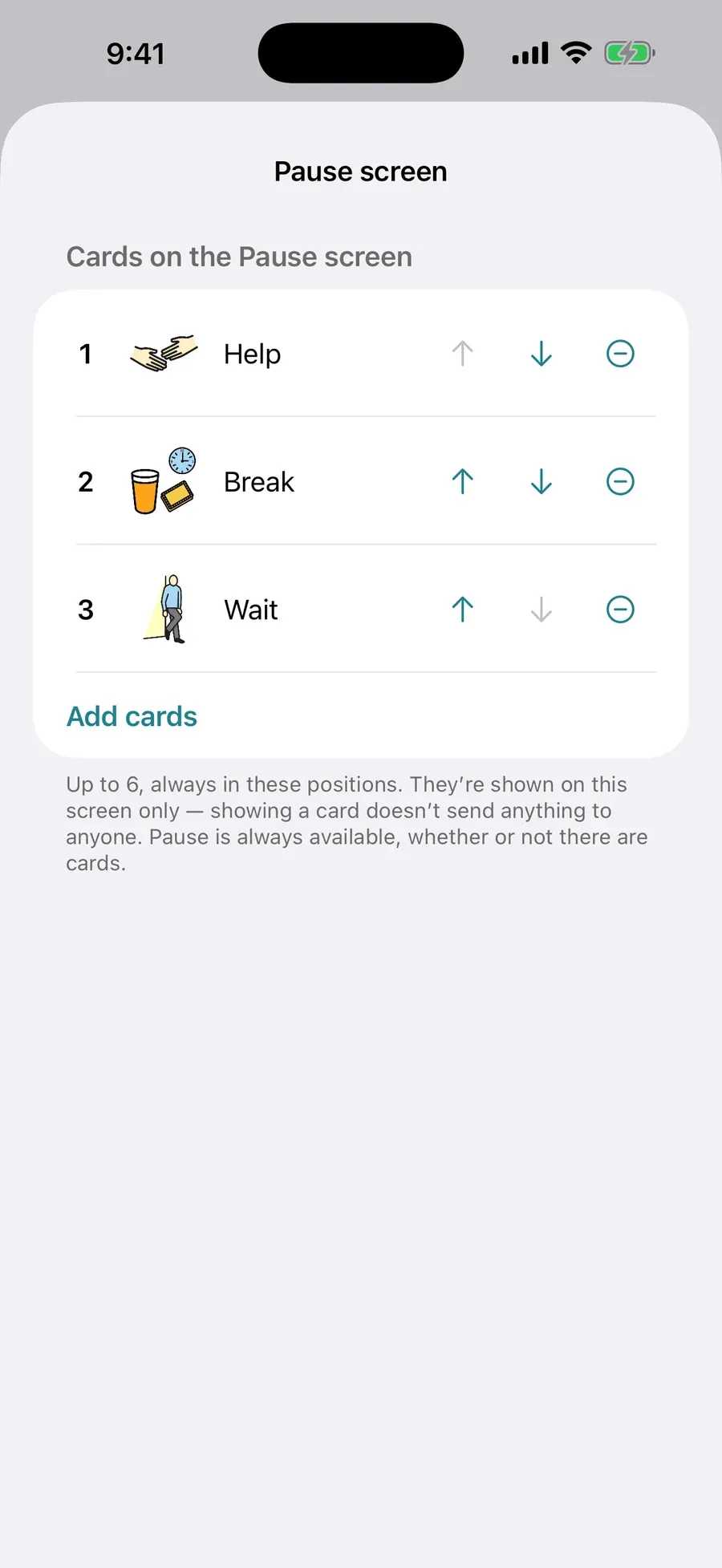
The Pause screen
Who it's for
- Parents, caregivers, educators and support professionals who set routines up for someone else
- Neurodivergent adults building routines and supports for themselves
- Anyone who follows a picture schedule better than a written list
Privacy
Everything stays on your device. There is no account, no cloud, no analytics and no advertising, and the app makes no network requests at all, so it works exactly the same in airplane mode.
Availability
Related

StudioHand
The recording session log for working studios.
Session log and take tracking for working studios — every take, keeper and note, captured while the session is running.